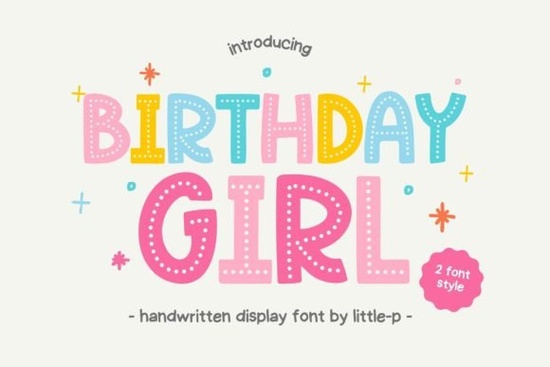
If you are looking for a typeface that instantly captures a lighthearted, celebratory mood, Birthday Girl Font delivers exactly what you need. This handwritten display type features playful dotted accents and a bold, kid-friendly structure that reads clearly even at smaller sizes. Whether you are drafting party invitations, designing merchandise for young customers, or crafting digital content for a children’s brand, the two built-in variations dotted and solid lines give you enough flexibility to match different visual tones without switching files.
Why does this typeface work well for children’s projects?
Handwritten styles often struggle with readability when scaled down, but this particular cut maintains strong stroke weight and clean spacing. The dotted overlay adds a tactile, sketch-like quality that appeals to younger audiences while keeping the overall shape balanced. When you drop it into a layout, it immediately suggests fun and creativity rather than strict professionalism. That deliberate contrast makes it ideal for brands that want to appear approachable without sacrificing visual clarity. You will notice how the letterforms sit comfortably alongside illustrations, photos, or simple background textures.
How do the dotted and solid versions compare in practice?
Choosing between the two weights depends entirely on your background and intended use. The dotted version softens heavy compositions and pairs nicely with pastel palettes or busy patterns. Conversely, the solid variant commands more attention, making it easier to read against dark backdrops or busy photographic scenes. Many sellers keep both active in their asset library because they solve different contrast problems. If you are testing mockups for custom apparel, swap between the two to see which handles your specific color combination better before committing to production runs.
Where can you actually apply these files?
Print-on-demand creators frequently gravitate toward this cut because it translates cleanly across multiple surfaces. The vector-style outlines scale smoothly on toddler tees, woven tote bags, and ceramic mugs without losing those signature dot details. Digital designers also reuse it for event banners, Instagram story templates, and printable scrapbook kits. Because the lettering leans casual yet structured, it avoids looking overly childish while still fitting squarely within a youth-focused aesthetic. You can layer it under flat geometric shapes, trace it over watercolor washes, or simply center it on a clean white canvas for instant impact.
What pairs well with this style if you need supporting type?
Handwritten display faces usually pair best with clean, understated sans serifs or light slab fonts. A minimal geometric typeface keeps the hierarchy clear so the playful main text never overwhelms the secondary information. If you want to experiment with completely different eras, exploring vintage-inspired lettering styles can teach you how to balance nostalgic curves with modern spacing. Meanwhile, designers who enjoy mixing texture might test fluid, organic typefaces to create dynamic composition shifts without breaking visual cohesion. Nostalgic themes also benefit from reviewing curated nostalgic typography collections, especially when you want to maintain consistent baseline alignment across mixed-media projects. Playful energy scales nicely when you cross-reference playful retro script options for secondary callout text or badge elements.
Are there any formatting tips to avoid common printing errors?
Export settings matter more than most beginners realize. Always convert outlines before sending files to sublimation printers or cutting machines, since embedded fonts can shift during processing. Check your kerning at actual print size; what looks tight in a preview window often opens up noticeably once transferred to fabric or cardstock. If you plan to add extra decorative dots beyond the original glyph set, duplicate and place them manually rather than relying on automatic tracking adjustments. Manual placement preserves consistent spacing and prevents overlapping strokes that muddy the silhouette.
For verified file compatibility and licensing details across commercial manufacturing tiers, you can always check the official Birthday Girl Font page before launching any product line.
Quick checklist before you export
- Verify outline conversion: Run a final path check so no hidden character maps trigger errors during production.
- Test color contrast: Place the solid variant on your darkest background and the dotted version on your lightest to confirm legibility.
- Check bleed margins: Keep all letterforms at least a quarter inch away from garment edges or sticker cut lines.
- Proofread secondary copy: Ensure supporting text uses a neutral sans serif so your focal lettering stays the clear centerpiece.
- Save layered source files: Keep separate documents for the dotted and solid cuts so future revisions remain quick and accurate.
Ready to test your layout? Open your preferred vector program, import the solid version first, adjust spacing until the word marks look comfortable, then toggle to the dotted cut for a final contrast pass. Export at 300 DPI minimum, run a small physical proof if possible, and track which variation converts better with your audience. Adjust accordingly for your next batch of designs.
Explore Design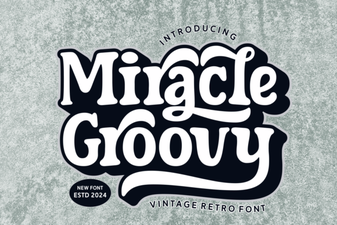 Miracle Groovy Font for Creative Design Projects
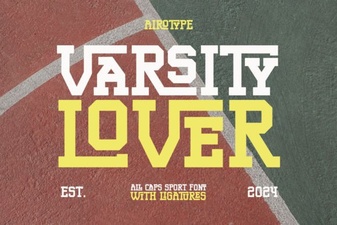 Unlock Your Creativity with the Varsity Lover Font
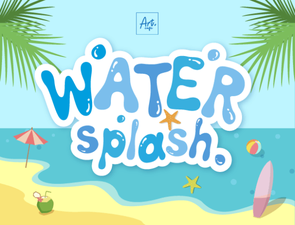 Creative Typography with Water Splash Font Effects
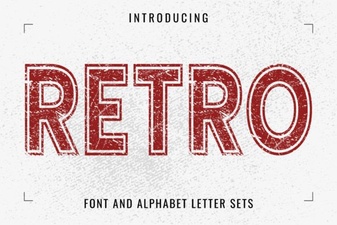 Reviving Retro Fonts for Modern Web Design
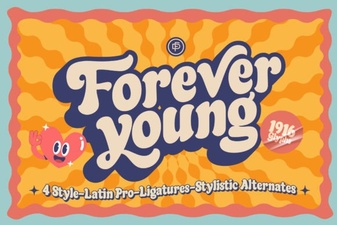 Forever Young Font for Creative Projects and Design
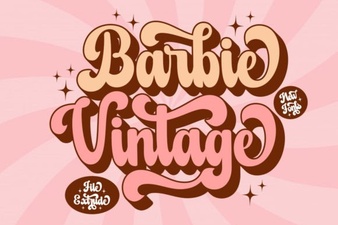 Mastering Retro Fonts: Barbie Extrude Design Projects